Security notice: PHP has released fixes for two critical flaws that can let attackers take over a server, and attacks have been reported. If your site runs on PHP, including most WordPress sites, get it updated today. Here is what to do
Someone could be stealing your customers' credit cards through your website tonight.
You'd never see it. EverThread checks your site every day and tells you first, in plain English.
Free scan. No card. No signup. Then get your first month of Starter free, with daily checks for card skimmers, scam redirects and hidden spam. $9.99 a month after. Cancel anytime.
Example
example-shop.com
Scanning your home pageScan finished
Hidden script found
It copies card numbers at checkout.
Too small to be a target?
Hackers don't care how small you are. They care that your site is easy.
Verizon's 2026 breach report puts it plainly: as a small organization, "you may mistakenly think that your threat profile and who would be interested in compromising you are significantly different from everyone else. That is, until you find yourself on the wrong side of a ransomware attack."
About 96% of ransomware victims were small and medium businesses, where company size was known. Verizon DBIR 2026. Verizon counts any business under 1,000 employees as small.
59% of small and midsize businesses said they had experienced a cyber attack in the last 12 months. Hiscox Cyber Readiness Report 2025. 5,750 firms with up to 249 employees.
It isn't about your size. Verizon says many of these attacks are "opportunistic in nature, and it's not so much about industry or the revenue of the victims" but about stolen passwords and unpatched systems. Verizon DBIR 2026.
Your website is the part of your business anyone can reach. That's where EverThread looks: a card skimmer on your checkout, a redirect to a scam page, spam pages hidden under your name, a padlock about to run out. (Skimmer, redirect and spam checks come with Starter and up.)
If your website got hacked last month, who would have told you? EverThread would have, if it showed on the pages we check. We look from the outside every day and email you the day we spot it. We don't clean up hacked sites. We make sure you hear first, not last.
Scrambled scripts, hidden frames and forms that send data elsewhere.
Read more
Starter, Pro and Agency plans check for scrambled scripts, hidden frames and forms that send data to other sites.
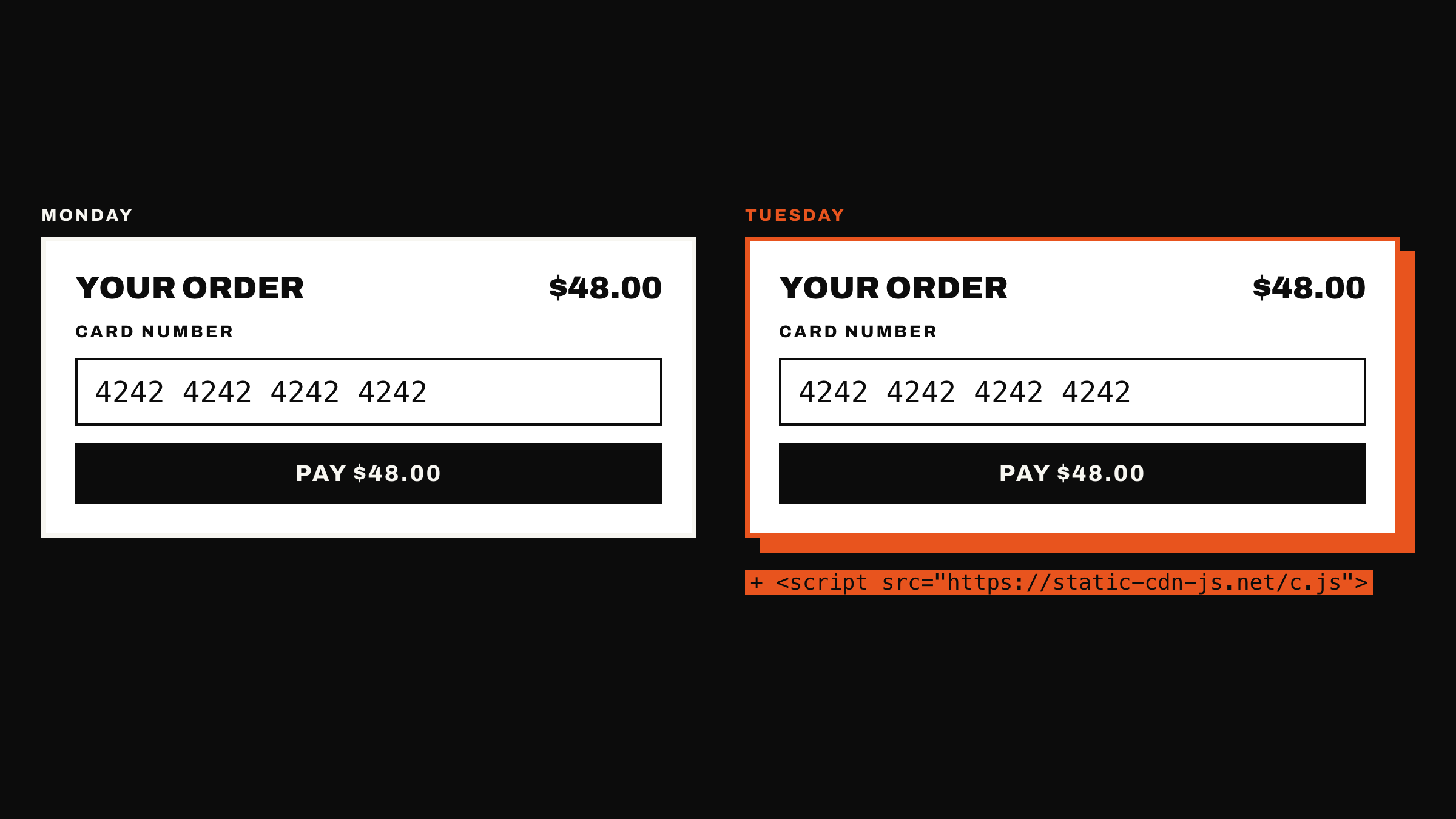
One example: a card skimmer. On those plans we open pages from your site in a real browser every day and flag scrambled scripts and forms that send data to other sites.
Example: what an attack looks likeExample: The Skimmer. A hacker adds one hidden line to a checkout and copies every card number typed into it. The page looks exactly the same.
Links, redirects and spam
Scam redirects, look-alike links and spam text.
Read more
Starter, Pro and Agency plans check for redirects to other websites, look-alike web addresses in links, and spam text added to your pages.
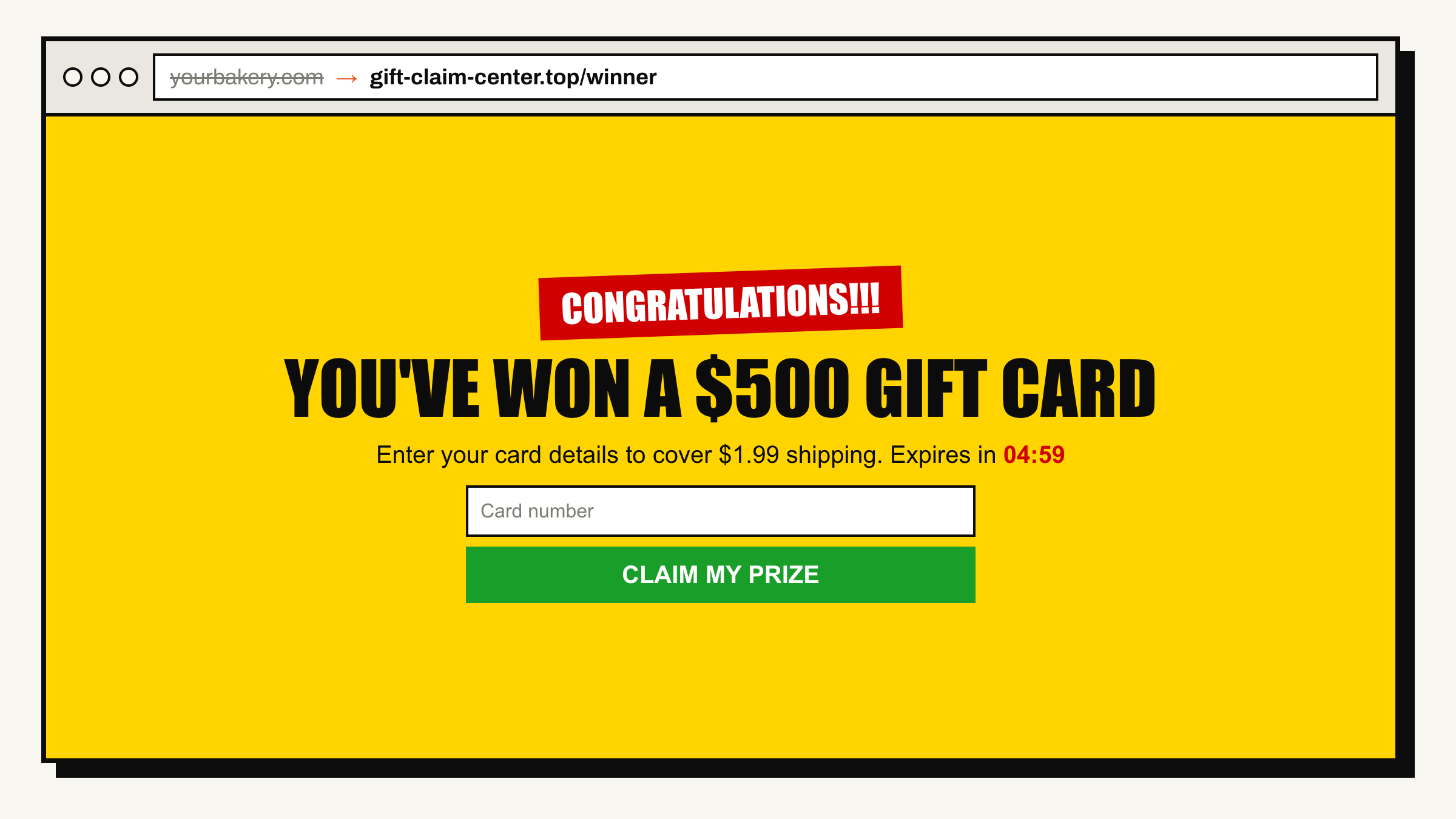
The Hijacker. Visitors who type your address get sent to a scam page.
Certificates and settings
Certificate expiry dates and missing browser safety settings.
Read more
Every plan checks your HTTPS certificate (the padlock) and warns you when it has expired or is close to expiring. Basic and above also look for missing browser safety settings and files that should not be public.
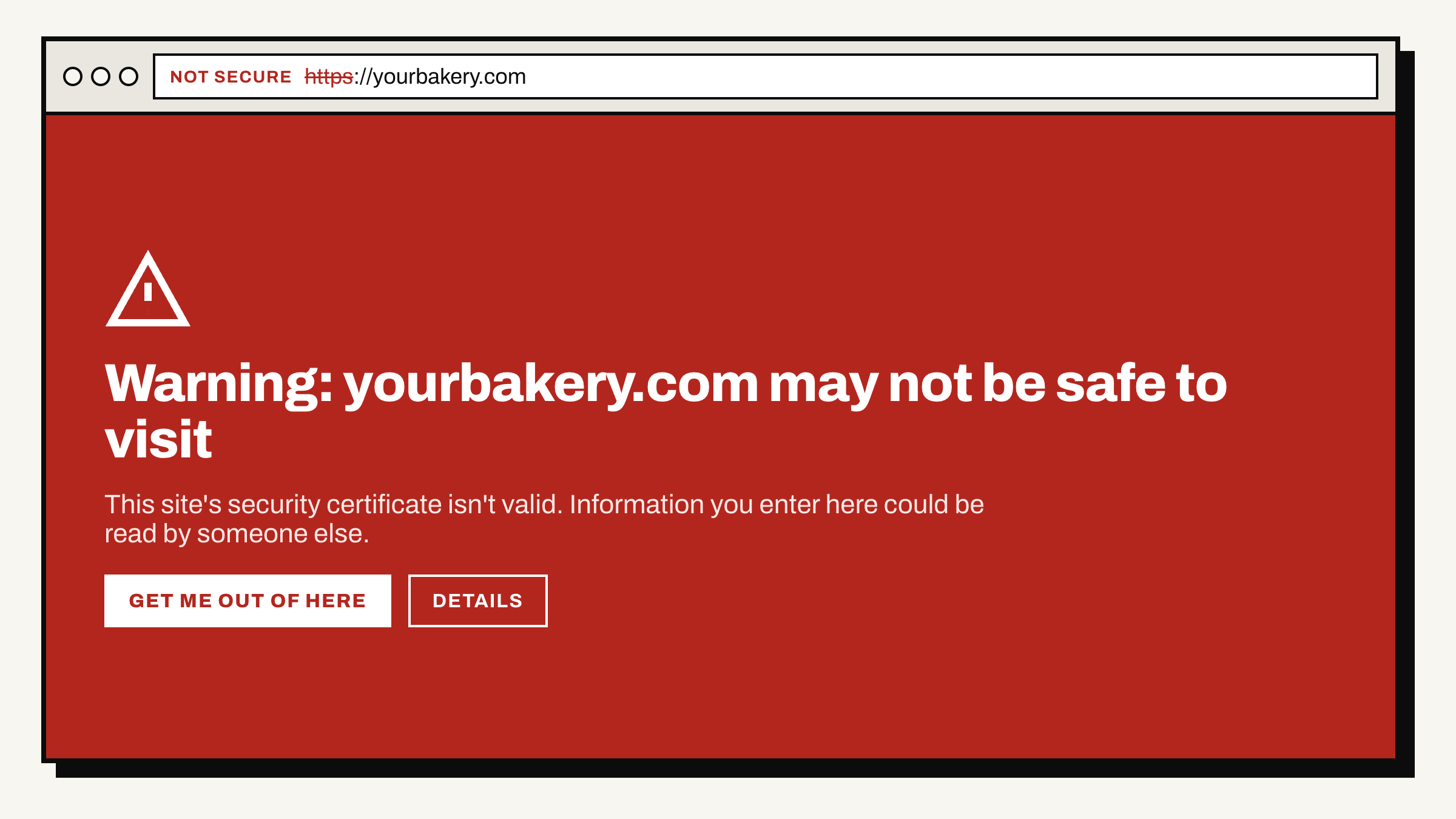
The Clock. Not every threat wears a hoodie. When your SSL certificate (the padlock) runs out, every visitor sees a full-screen warning instead of your website.
Examples from the checkup
Scrambled scripts
Hidden frames
Scam redirects
Spam on your pages
Expired certificates
Forms that send data to other sites
Read more: daily checks and plain-English alerts
Daily checks while you sleepEvery page of your store is checked every day from the outside. Nothing to install.
Plain-English alerts, no tech skills neededOne email that says what changed and how to fix it. It also has the details for whoever looks after your site.
What lands in your inbox
One email, in plain words, with the evidence for whoever fixes it.
Example alert
E
EverThreadalert@everthread.live
criticalSomething on your checkout is sending card details to another website
A script that wasn't on yoursite.com/checkout yesterday is copying what customers type into the payment form. Remove it, change your admin passwords and tell your payment provider.
What we saw<script src="https://cdn.example-skim.net/a.js">
Example data only. Your own alert shows your own site.
What you see when you sign in
A dashboard that says what is wrong, how urgent it is, and what to do next.
security.everthread.live/sites
Your site at a glance. What needs fixing today, this week, and when you have time.
security.everthread.live/sites/issues
Every problem in plain English. What we saw, why it matters and what to do, with a button that sends it to your developer.
Example dashboard with made-up data. Hollow Oak Bakery is not a real business.
Who's out there
They're not breaking in. They're already inside.
None of them break your site. They quietly use it, and often nothing looks different to you or your customers. Unless someone is keeping watch.None of these fail a deploy or a test. They sit in production until someone outside notices.
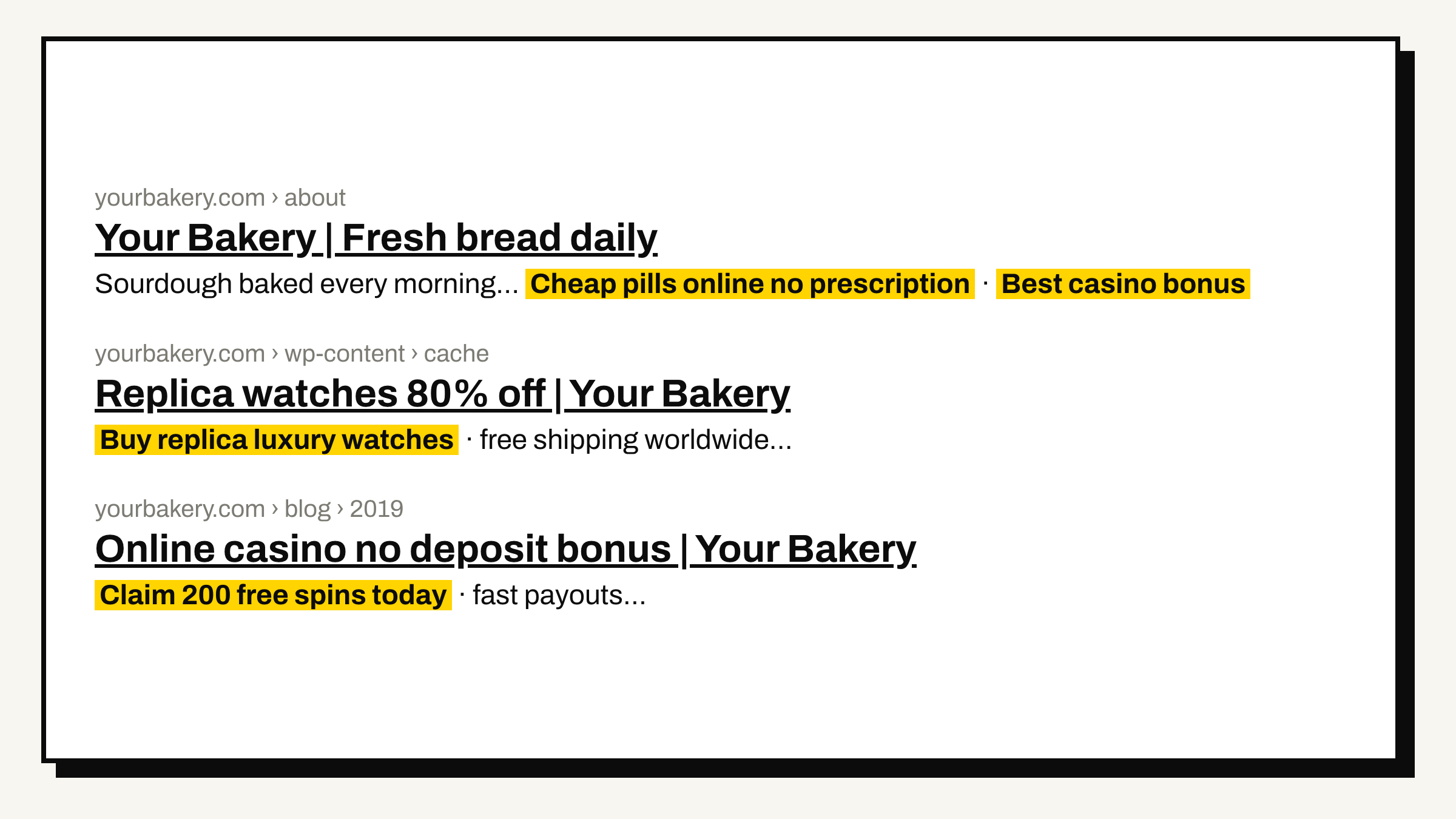
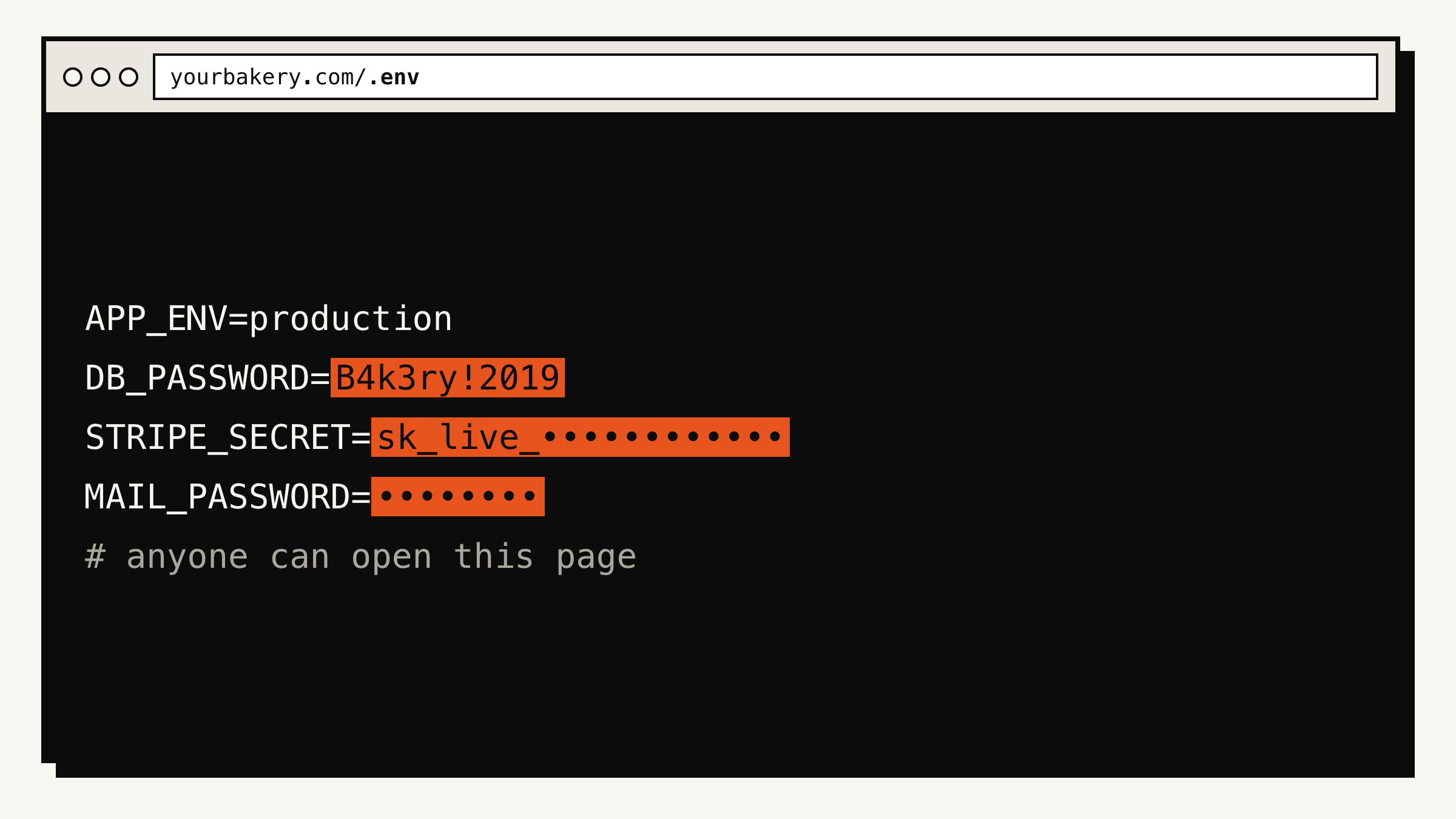
The HijackerVisitors who type your address get sent to a scam page.The SpammerHides junk pages inside your site, so search engines show pills and casinos under your business name.The LooterLooks for the settings file left behind after a redesign. One request gives away your database, payment and email passwords.The ClockNot every threat wears a hoodie. When your SSL certificate (the padlock) runs out, every visitor sees a full-screen warning instead of your website.
Also on the list: hidden crypto miners that borrow your visitors' computers, look-alike login links, forms that start sending data somewhere new, and admin pages open to the whole internet. EverThread watches for every one of them.
Left unwatched
Not knowing if your site is hacked is like spinning this. Same kind of wheel hackers put on hacked sites. Just as rigged.
Every slice is something that could be on your site right now, and nothing would look different to you.
Go on. Everyone thinks they'll land on "Fine".Spin as often as you like. It never lands there.
SPIN & WIN!
1 FREE SPIN LEFT · PRIZES UP TO $1,000
*Winners must enter card details to cover shipping. Offer valid today only.
Hacked sites really get wheels like this. The "prize" is your customers' card details.
Checklist or Shield Audit
A checklist sees settings. A Shield Audit sees break-ins.
Free and Basic
The checklist
A list of yes-or-no questions about how your site is set up. Is the padlock valid? Are the protective settings on? Is anything left lying around that shouldn't be? It catches the slow leaks. It can't tell you someone has quietly changed your site.Rule-based probes from our servers: TLS validity and chain, security headers, mixed content, exposed paths, robots, sitemap and security.txt. Deterministic and cheap. Blind to anything JavaScript does after the page loads.
Starter, Pro and Agency
EverThread
Shield Audit
Opens your pages in a real browser, the way a customer would. It records everything that really happens: every script, every form, and every place a page sends people. Then it judges what it saw, like a person would. It tells you in one plain sentence, with the exact thing it found. It runs the whole checklist too.Headless Chromium on an isolated machine captures every request host, redirect chain, script, iframe and form action. Obfuscation, hidden frames, punycode hosts and off-site actions are flagged first, then a model reviews the evidence for phishing, injection, exfiltration and mining. Every finding cites what was observed, or it is dropped. Plus every rule in the checklist.
What it can see
Checklist
Shield Audit
The ClockAn expired or broken padlock certificate
✓
✓
The LooterLeftover settings files, .git folders and open admin pages
✓
✓
Missing browser protectionsProtection settings your site should send to browsers
✓
✓
The SkimmerA script copying card numbers from your checkout
✕
✓
The HijackerVisitors sent from your site to a scam page
✕
✓
The SpammerJunk pages hidden in your site, shown under your name
✕
✓
Hidden crypto minersHidden code that uses your visitors' computers
✕
✓
Look-alike linksA "log in" link that goes to a copycat site
✕
✓
How much of your siteWhich pages get checked each day
Home page
Every page: up to 50, 100 or 500
What lands in your inbox
One email, in plain words, with the evidence for whoever fixes it.
Get the Shield AuditFrom $9.99/mo · first month free when you scan · cancel anytime
EverThread <alert@everthread.live>Today, 06:12 UTC
[critical] Something on your checkout is sending card details to another website[critical] New third-party script on /checkout sends form input off-site
A script that wasn't on yoursite.com/checkout yesterday is copying what customers type into the payment form. Remove it, change your admin passwords and tell your payment provider. Here is exactly what we saw.First seen in the 06:00 UTC render. Not loaded by your theme or plugins; it reads the card fields and beacons them to a host we've never seen on your site. Evidence: rendered DOM, request log and the script source.
Most tools match a list. EverThread looks, then thinks.
Most security tools compare your site against a list of known bad files and addresses, so anything new slips past. EverThread opens your pages the way a customer does and judges what it actually sees, so it catches what no list has yet.Signature and blocklist matching only catches what someone has already catalogued. The Shield Audit renders every page in a real browser and judges what it observes, not what's on a list.
Swipe the table to see every column →
What it does
EverThreadShield Audit
Security pluginsWordfence, Jetpack Scan, MalCare
Free online scannerslike Sucuri SiteCheck
Uptime monitorslike UptimeRobot
Works on any websiteNothing to install, any platform
✓
WordPress only
✓
✓
Checks on its ownWithout you remembering to run it
Every day (Pro: 4 times)
Daily on paid plans
Only when you run it
Every 1 to 5 minutes
Opens pages in a real browserRuns the page's code, where card skimmers hide
✓
✕
Not documented
✕
How much of your sitePages checked as a visitor sees them
Every page: up to 50, 100 or 500
Files and database, not the live page
Home page and a few links
One address
Judges what's newNot just a list of known bad code
✓
Mostly signatures
Signatures and blocklists
✕
Sees files on your serverBackdoors that never show on a page
✕
✓
✕
✕
Blocks attacksA firewall in front of your site
✕
✓
✕
✕
Fair is fair: a plugin works inside your server, so it can see your files and block attacks, and EverThread can't. The two work well together. The plugin guards the inside, and EverThread checks what your customers actually see. Based on each product's public pages, October 2026.
Could you build this yourself?
A script that loads your home page takes an afternoon. One you can trust every morning doesn't.
We hear it a lot: "That's cool, I could make one." You could make the first part. Here's what it takes to keep it right every single day, and it's already done for you.
The hard part
Telling a break-in from a normal day
Every site runs outside code: payments, analytics, chat, video. Flag all of it and you drown in alarms. Flag none of it and you miss the skimmer. EverThread is tuned on what real sites run, and anything it can't back with evidence never reaches your inbox.
The hard part
Every page, not just the home page
It finds your pages from your sitemap, or by following your own links, and checks up to 50, 100 or 500 a day, depending on your plan. New or changed pages get the full check the same day.
The hard part
Being polite to the site
One page at a time, with a pause between pages, following the site's robots.txt and its crawl delay. That's a lighter load than a single shopper browsing your store.
The hard part
Running it every single day
A real browser on isolated machines, every day, whether or not anyone remembers, and kept patched. When this October's flaws hit Node.js, ours was updated the same week.
The hard part
Saying it in plain English
Every alert says what changed, where, and how to fix it, with the evidence for whoever does the fixing and a step-by-step fix guide. If it's still there 24 hours later, you get one reminder.
The hard part
Keeping up with new threats
New flaws land every week. When PHP shipped critical fixes this October, EverThread was flagging out-of-date versions on every plan within days.
Your time is worth more. $9.99 a month is less than an hour of a developer's time, and your first month is free when you scan.
One store, every page checked every day with the Shield Audit, for $9.99 a month. You pay monthly and can cancel anytime. No yearly contract. The other plans are below.
We watch your padlock certificate and email you 30 days before it runs out. We also warn you if your server shows an out-of-date PHP version. Nothing charged.
Email and password, then checkout. $49.99 a month, cancel anytime.
Agency
For agencies and freelancers
EverThreadShield Audit
$99.99per month · up to 100 sites
Client sites Up to 100
How often Every day
Old PHP warning When your server shows it
Checks Shield Audit
Pages Every page, up to 500
Email recipients Up to 25
Monthly reports Branded, per site
WordPress details Free plugin
Every page of every client site is watched daily. You get one bill and a monthly report for each client. The report shows the work you did and has your name and logo on it. Send clients a link or a PDF.
Fraud costs you twice. Once in fees. Once in customers.
What fraud, breaches and outages really cost, from published research, 2024 to 2026. Where a number covers businesses of every size, we say so. Every figure links to its source.
Swipe for the numbers · 1 of 6 →
$128per chargeback
$82 internal costs + $46 third-party fees, before the refunded sale
What each chargeback costs a merchant in fees and internal costs, on average. That is before you refund the sale. Every stolen card used on your store can come back as one.
About 96% of ransomware victims were small and medium businesses, where company size was known. Verizon counts any business under 1,000 employees as small.
Of US adults surveyed say they would stop shopping with a brand that suffered a security incident. That's what they say they would do, not a count of customers lost.
Every one of these starts the same way: something changes on your site and nobody notices. EverThread looks for it. Every day, or 4 times a day on Pro. You get one plain-English email with the evidence for whoever fixes it.
No. EverThread checks your site from the outside, the same way a visitor's browser does. There is no plugin, no code to add and nothing to set up beyond typing your web address.
Q.02Will it slow my site?
No. We visit like one careful customer: once a day (4 times a day on Pro), one page at a time, with a pause between pages. That is a lighter load than a single shopper browsing your store.
Q.03What if it finds something?
You get one email in plain English. It says what changed, where, and how to fix it. It also has the technical details for whoever looks after your site. If the problem is still there 24 hours later, you get one reminder. Your dashboard keeps the full history.
Who's behind it
Built by PB Digital LLC.
EverThread is made and run by PB Digital LLC. Questions before you sign up, or after? Email Brandon directly at brandon@everthread.live. To see exactly what you would get, here is a sample alert email.
Put EverThread on watch.
Scan your site free, no signup, and your first month of Starter's daily checks is on us: email and password, then checkout. $9.99 a month after that, cancel anytime.